Shopify Product Research
Find winning Shopify products backed by real ad data
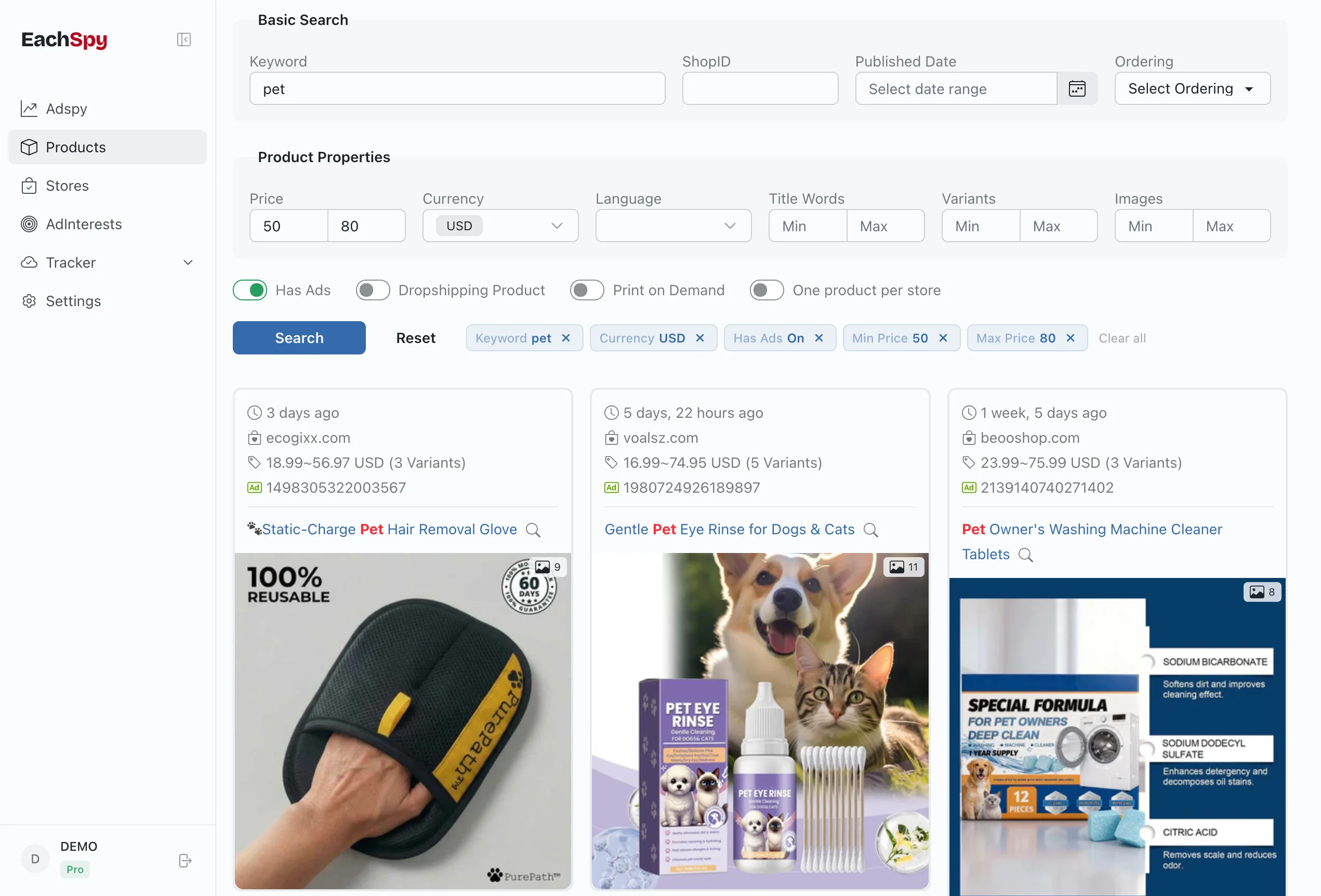
Search millions of Shopify products with pricing, store data, and Facebook ad connections. Filter by price range, publish date, dropshipping, or print-on-demand — then use the linked campaigns as one signal when building a product shortlist.
103M+
Shopify products in the database
583K
ad-linked products
3.2M
dropshipping products
1.2M
Shopify stores
+400K
updated daily
Searchable research software
A dropshipping product finder backed by real ad data
Eachspy turns a large Shopify catalog into product research software you can query for a specific niche, price band, launch window, or competitor. Add the dropshipping and ad-linked filters to build a focused shortlist, then inspect the store, product page, and connected campaigns before deciding what deserves further validation.
Research path
01 · Find
Keyword, niche, store domain, price, and publish date
02 · Check
Dropshipping detection, linked ads, variants, and store context
03 · Validate
Demand, margin, supplier, originality, and campaign economics
Click any product to inspect
Full product details with linked ads
Click any product to open the detail panel. See pricing, variants, store info, images, and all linked Facebook ads — then compare other products from the same store.
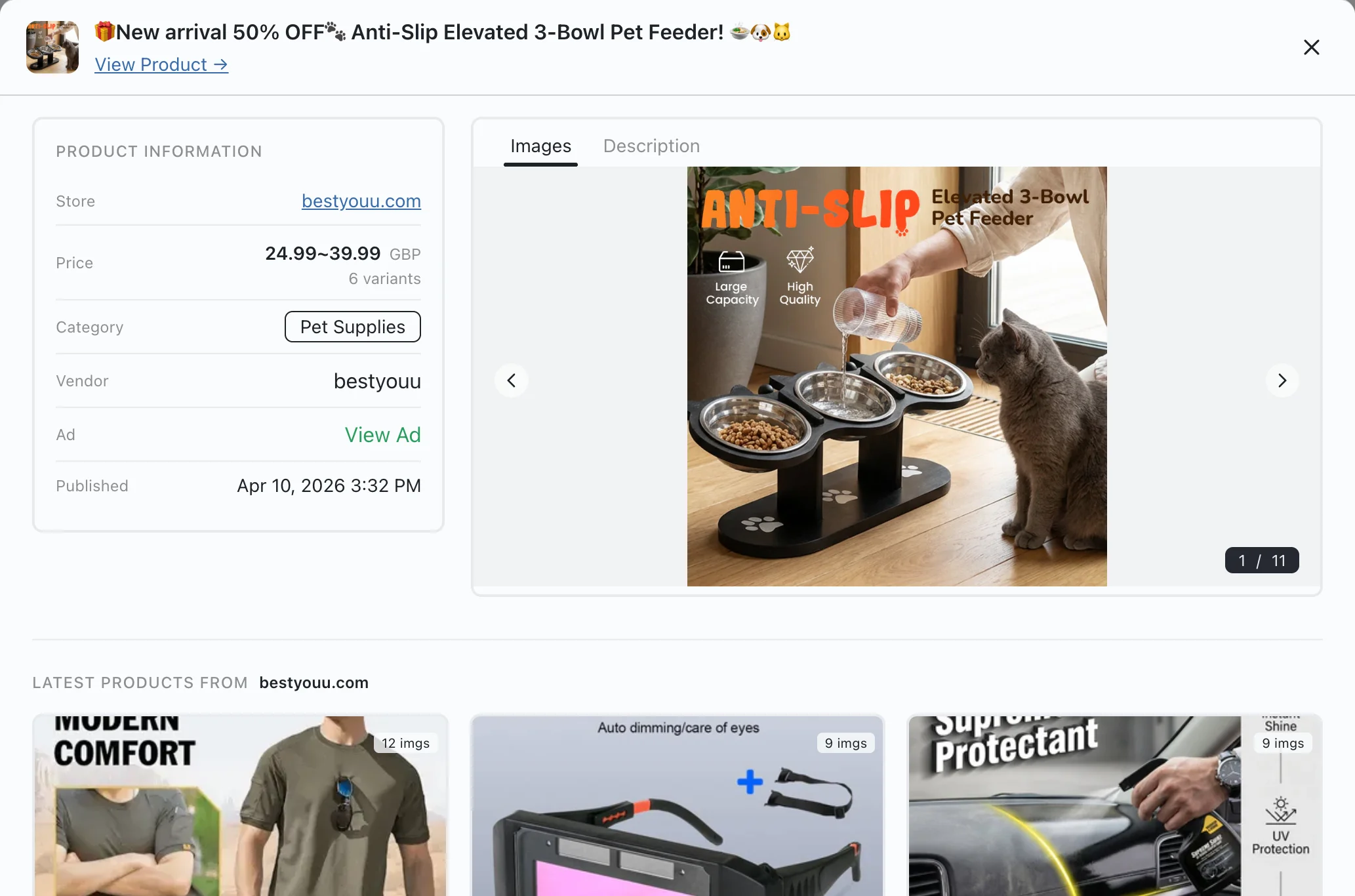
Product images, pricing, variants, and vendor info with a direct link to the live store
Linked Facebook ads — click any to see the full campaign detail with spend estimates
Recent products from the same store with an upload chart to spot sourcing patterns
How to find winning products
-
1
Search by product keyword, or enter a store domain to browse all its products.
-
2
Filter by price range, publish date, currency, language, or whether the product has active ads.
-
3
Use the dropshipping or print-on-demand toggles to narrow results by product type.
-
4
Open any product to see images, variants, linked Facebook ads, and more products from the same store.
Data points in every product
Frequently Asked Questions
Common questions about Shopify product research with Eachspy.
A product connected to indexed Facebook ads gives you more context than a random trend list: you can inspect the creative, destination, duration, and related campaigns. Ad activity does not prove sales or profitability.
Yes. Enable the dropshipping filter, search by product or niche, and narrow the database by price, publish date, currency, and ad connection. Unlike the daily trending list, the product research software is designed for custom searches and side-by-side validation.
Enable the dropshipping filter, then sort by publish date to see newly listed products. Products with ad links and recent publish dates can be useful candidates for further research; validate demand, margins, suppliers, and campaign economics before choosing one.
Yes. Eachspy detects print-on-demand vendors like Printify, ShineOn, and CustomCat. Use the POD filter to separate custom products from classic dropshipping items.
Eachspy indexes millions of Shopify products and adds hundreds of thousands of new listings daily. Each product includes store info, pricing, images, and links to any associated Facebook ads.
Yes. Enter a store domain or shop ID to browse all products from that store. You can also compare product counts and publishing patterns across stores.
Related workflows
See research workflowsShopify Store Tracker
Track competitor Shopify stores and product keywords with daily email alerts. See new products, keyword matches, and linked ads from the stores you follow.
Facebook & Instagram Ad Spy
Search Facebook and Instagram ads by keyword, advertiser, or landing-page domain. Compare creatives, campaign history, landing pages, and estimated EU spend.
Ready to research with live data?
Open the dashboard to search the full Eachspy product database with advanced filters.